


Google is just one of many cloud giants expanding into the next generation of the Internet.
Google is just one of many cloud giants expanding into the next generation of the Internet.

This Industry Cloud Guidebook helps CXOs understand the benefits of industry clouds as they look to reimagine their business models.

In this My Metaverse Minute, Kieron confronts the question, “Will we still want the Metaverse after the pandemic?” and how big corporations are key to Metaverse success.

Welcome to the Cloud Wars Minute, with Bob Evans. Today’s topic: Walmart Shakes Up Cloud Industry as a Deep Tech Corporate Customer

Culture shaping in the workplace can often been counterproductive. How can corporate culture be positively reinforced?

Established companies like yours need planning and analytics tools to drive the business forward and compete in the acceleration economy.…

The corporate office is embracing remote work – how can leaders ensure company culture and employee wellness while continuing to innovate?

Discover the benefits of financial corporate performance management (FCPM) strategies, and software required to roll them out successfully.
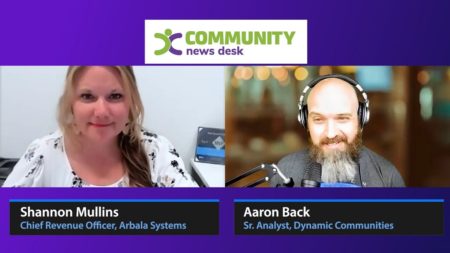
Shannon Mullins is a Chief Revenue Officer at Arbala Inc. Extensive software knowledge of Microsoft Dynamics 365, Business Central, Office…
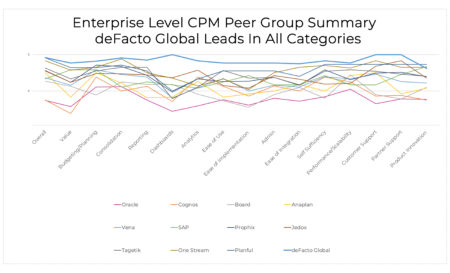
For the second year in row, deFacto Global has outperformed every other vendor across a full range of criteria. No other vendor has achieved that honor throughout the history of the awards.

Business Challenge – Eliminate Barriers to Treatment Delays in gaining access to therapy are unacceptable for patients. This is especially…

Meeting strict corporate governance regulations is essential for businesses in the financial industry. Staying in compliance with these guidelines is…

Most modern corporations whose goal is to stay tax compliant decide to use integrated tax software. It is the only way to automate the end-to-end tax automation process and allow your indirect tax department to spend more time on the activities that bring value to your business.
This whitepaper shows how these corporations benefit from integrated tax software and how it helps them stay tax compliant.

In a new episode of the Tax & Tech Talks podcast series, experts from KPMG and Thomson Reuters discuss how companies are turning to automation and analytics software to stay ahead of changes buffeting indirect tax management.

On Cloud Wars Live, Christian Anschuetz shares some top-of-mind leadership lessons, including how purpose and culture go hand-in-hand.
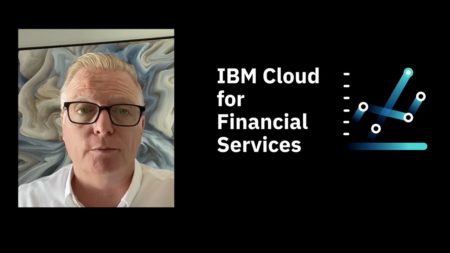
Senior VP of IBM Cloud Howard Boville shared in a recent conversation his POV on industry clouds, business processes, and much more.


These are operational reports used by marketing execs & campaign managers to analyze marketing efforts resulting in conversions through the website.

Microsoft has reported that that its “remaining performance obligation” (RPO) for cloud reached a total of $112 billion, up 24%.
There are always new features that are introduced by Microsoft in their productivity tools that, at this point, can warrant a monthly status update about what’s new and what’s changed. This one I feel deserves extra attention. If you share a PowerPoint presentation during a Teams Meeting, this one will make your life better. When you are ready to present, instead of sharing your screen as usual, choose the PowerPoint option! If your PowerPoint has audio or video to play, check the “include computer sound”, then choose from either the suggested PowerPoint option (usually the one you worked on most recently) or Browse.Selecting Browse gives you the option to find it and upload it from your computer or OneDrive.Figure 1 – Choosing computer sound preference in the PowerPoint option in Microsoft TeamsAfter this, you will be greeted with the view in Figure 2: Figure 2 – Selecting a presentation to display in the PowerPoint option in Microsoft TeamsThis is the main screen your participants will see.Here you can see your slides and click through them to display on the main screen.If you added notes to the slide, they will appear in this section. This only visible to the presenter, not the participants. No need to reference and handwrite your notes!You can also use these arrows to navigate the presentation backwards and forwards. This section is visible to both you and the participants. Because this section is available to everyone, you have two options for how you want this presentation to go.The Free mode or the Default mode is represented by this icon: Your participants can use the < > button to skip ahead or go back to any slide. This does not affect anyone else’s view.For the Guided mode, you can click the icon, which will then look like this: In this mode, your presenters can see what number slide they are on (slide 1, etc.) but are unable to use < > to navigate the presentation.Both methods have their uses, so it’s up to you to determine how you want your presentation to go. I hope this was informative and helps you bring your A++ game when conducting presentations on Microsoft Teams.If you need assistance with any Microsoft productivity tool, ArcherPoint can help! Learn more about our Managed IT Services and contact ArcherPoint to start the conversation.