Cloud Wars
  • Home
  • Top 10
  • CW Minute
  • CW Podcast
  • Categories
    • AI and Copilots
    • Innovation & Leadership
    • Cybersecurity
    • Data
  • Member Resources
    • Cloud Wars AI Agent
    • Digital Summits
    • Guidebooks
    • Reports
  • About Us
    • Our Story
    • Tech Analysts
    • Marketing Services
  • Summit NA
  • Dynamics Communities
  • Ask Copilot
Twitter Instagram
  • Summit NA
  • Dynamics Communities
  • AI Copilot Summit NA
  • Ask Cloud Wars
Twitter LinkedIn
Cloud Wars
  • Home
  • Top 10
  • CW Minute
  • CW Podcast
  • Categories
    • AI and CopilotsWelcome to the Acceleration Economy AI Index, a weekly segment where we cover the most important recent news in AI innovation, funding, and solutions in under 10 minutes. Our goal is to get you up to speed – the same speed AI innovation is taking place nowadays – and prepare you for that upcoming customer call, board meeting, or conversation with your colleague.
    • Innovation & Leadership
    • CybersecurityThe practice of defending computers, servers, mobile devices, electronic systems, networks, and data from malicious attacks.
    • Data
  • Member Resources
    • Cloud Wars AI Agent
    • Digital Summits
    • Guidebooks
    • Reports
  • About Us
    • Our Story
    • Tech Analysts
    • Marketing Services
    • Login / Register
Cloud Wars
    • Login / Register
Home » Convert your FAQ’s Page to a Bot using Power Virtual Agents
Business Apps

Convert your FAQ’s Page to a Bot using Power Virtual Agents

Rilsina PegadoBy Rilsina PegadoJanuary 16, 2021Updated:June 18, 20211 Min Read
Facebook Twitter LinkedIn Email
To adjust the volume hover the cursor over the volume bar
Share
Facebook Twitter LinkedIn Email

FAQ’s are meant to provide easy answers to User questions, but not always will the user like to read the entire FAQ page, in such situations we can provide the users with a BOT to answer their queries. In this webinar we will explore on how to create bots in PVA, how to use your existing FAQ’s Page to create a bot and embed your bot in CRM, Website etc.

Dynamics 365 CE / CRM
Share. Facebook Twitter LinkedIn Email
Rilsina Pegado

D365 CRM and Power Platform Developer | Experienced PMO | Pursuing Advance Diploma in Business Administration from Weligkar Institute of Management Studies l Writer by Passion.

Related Posts
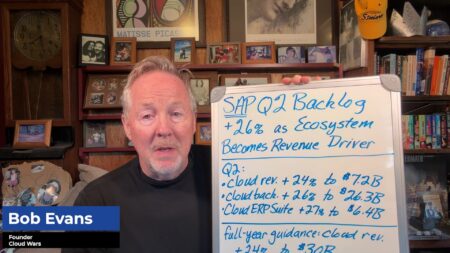
Marc Benioff and AI Reignite Salesforce’s Once-Legendary Superpower

December 8, 2025

AI Agent & Copilot Podcast: enVista’s Nathan Bensch Talks Dataverse, Governance, and Agent Design

December 8, 2025

SAP Remains Hottest Enterprise-Apps Vendor by Far; Workday #2, Oracle #3, Salesforce #4

October 27, 2025

Community Summit NA: Microsoft Empowering Customers at the Frontier of AI Transformation

October 24, 2025
Add A Comment

Comments are closed.

Recent Posts
  • AI Agent & Copilot Podcast: Paragon Films’ Kenny Mullican Shares Event Expectations, Adapting To a New ‘AI Reality’
  • The Race to the Quantum Internet: IBM and Cisco Reveal Ambitious Network Blueprint
  • Palantir Puts Bullseye on ServiceNow re AI Platform Supremacy
  • Palantir vs. ServiceNow: AI Platform Position + Who Is ‘Defining Soft.Co?’
  • Cisco Secures MCP Servers with Multiple Scanning Engines, Supply Chain Protections

  • Ask Cloud Wars AI Agent
  • Tech Guidebooks
  • Industry Reports
  • Newsletters

Join Today

Most Popular Guidebooks and Reports

The Agentic Enterprise: How Microsoft and Industry Leaders Are Redefining Work Through AI

September 2, 2025

SAP Business Network: A B2B Trading Partner Platform for Resilient Supply Chains

July 10, 2025

Using Agents and Copilots In M365 Modern Work

March 11, 2025

AI Data Readiness and Modernization: Tech and Organizational Strategies to Optimize Data For AI Use Cases

February 21, 2025

Advertisement
Cloud Wars
Twitter LinkedIn
  • Home
  • About Us
  • Privacy Policy
  • Get In Touch
  • Marketing Services
  • Do not sell my information
© 2025 Cloud Wars.

Type above and press Enter to search. Press Esc to cancel.

  • Login
Forgot Password?
Lost your password? Please enter your username or email address. You will receive a link to create a new password via email.
body::-webkit-scrollbar { width: 7px; } body::-webkit-scrollbar-track { border-radius: 10px; background: #f0f0f0; } body::-webkit-scrollbar-thumb { border-radius: 50px; background: #dfdbdb }