Common Data Service for Apps is built on a solution architecture that is the key component to Application Lifecycle Management (ALM) for both Dynamics 365 and PowerApps. The new PowerApps Tools for Azure DevOps allow you to automate and build a release pipeline for Dynamics 365 and PowerApps. Understand how you can setup your own pipelines to start your team on the path to continuous integration and a healthy ALM and DevOps practice.
Search Results: customer (5557)
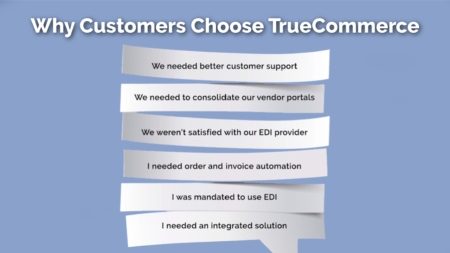
Hear from four TrueCommerce customers as they share their experience using TrueCommerce solutions to increase efficiencies, and better position their companies for the future.
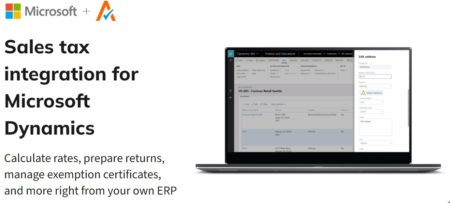
Avalara’s suite of cloud-based tax solutions gives you a better way to offload the complexity and improve your tax compliance management directly from Microsoft Dynamics!
Never miss a dollar or revenue or upset a customer with outdated pricing! Learn how easy it is to keep your customer pricing and discounts up to date.
Email campaigns are an exercise in relationship building. When done right, a well-mapped email program can bring in more sales and help you transform your existing client base into a community. But building a successful email strategy isn’t just about sales—by applying analytics to your customer journey, you can gather valuable intelligence about your prospect and customer base that can help you transform how clients experience your brand. In this presentation, we’ll talk about how to build targeted email campaigns for every step of the customer journey, with hands-on tips for deciding who to nurture, when to nurture them, what to say in your messaging, and how to measure email success.

Hear from Thuy Tran, corporate controller at SRS Real Estate partners, as she discusses how integrating AvidXchange AP automation solutions with Dynamics GP transformed their invoice and payment processes while enabling her to work remote as part of a national, multi-location organization.
Insights from decades of Dynamics experience to help you build authentic customer relationships, capitalize on revenue opportunities and maximize operational efficiencies with Dynamics CRM.
With Dynamics 365 Virtual Agent for Customer Service users can easily deploy personalized bot conversations to resolve customer issues quickly and effectively any time of the day, any day of the week. This will help organizations to reduce costs by automating the response to common questions thus freeing up agent time to focus on more important cases. Learn how to create virtual agents, update bots, review analytics, and use power automate integration.
Are there reasons your company should upgrade to GP 2018 R2? Yes, there are several! Join this live webinar to see demonstrations of the big and little features added by Microsoft this release that will please all users! Abra Gilman will demonstrate the features her customers have taken advantage of immediately after upgrading to GP 2018 R2.
Have you ever wondered how to process a Customer Return Request? This 30 minute webinar will walk you through the steps from different areas of Dynamics NAV and show you some of the options during the Return Process.
If you weren’t able to go to GPUG Summit 2019; if you didn’t get to attend 120+ GP sessions; or if you haven’t memorized ALL of the GP session content, then THIS presentation is for you! Abra Gilman surveyed many GP Customers to find out their favorite tips, sessions, products and presenters from this year’s GP User Group Conference and she is going to blaze thru sharing the details these GP customers wanted YOU to know about!
Are you looking to improve customer satisfaction, streamline operations, and improve efficiencies at your company? SharePoint web portals do just that while providing 24/7 self-service access to critical data. In this session, we’ll show you how to create an Office 365 SharePoint portal that can improve access to customer, vendor or employee information and integrate directly with your Dynamics GP system.
The Dynamics Journey to Success (DJS) is a Success Planning methodology led by the Microsoft Dynamics Customer Success Manager (CSM) that helps D365 customers realize continuous business outcomes and achieve business goals from their Dynamics investment. This session provides deep insight into Microsoft’s 10 step Success Planning methodology that enables Dynamics 365 customers to establish success criteria, uncover adoption blockers, and devise a strategy to boost user adoption and drive business success.
The IT finance team at one of America’s favorite fast-casual restaurant trusts AvidXchange to automate their entire purchase-to-pay process. Read more about how we helped Panera Bread say goodbye to paper-based AP and implement an electronic purchase-to-pay system that increased flexibility, accountability and savings.
Prioritizing customers’ experience across the order-to-cash lifecycle doesn’t just make customers happy—it helps you improve cashflow. Learn about IOFM’s findings from their latest report.
My boss is hounding me to generate the Invoices and send out the monthly statements. How does Dynamics NAV create these documents? I have received payments from my customer and need to know how to apply these payments to outstanding receivables. This 30 minute webinar will walk you through the Invoice, Statement and Payment (Deposit) process within Dynamics NAV.
This session is designed as an overview of Dynamics NAV’s Order Promising granules including the Available-to-Promise and Capable-To-Promise functions. We will discuss the areas of setup and explore several scenarios.
In this 30 minute webinar, you will get a chance to see what a Blanket Sales Order means in BC/NAV and the steps in creating and using the document. If you are a regular user of Dynamics BC/NAV and are in the business of processing sales orders at various points throughout the month, there may be occasions where you may need to manually use Blanket Orders in Dynamics BC/NAV for specific customers. Join us for this 30 minute webinar to see what Blanket Sales Orders can do for you and your company.
Carte Blanche Greeting cards went live last year with extremely limited system modifications. Come to hear the company’s story of how the implementation was designed to limit risk and simplify early adoption.
In this webinar, we are going to see how you can store documents in SharePoint Online and how we can secure those documents through its security features. To use the document management functionality, you need to enable the server-based SharePoint integration on a site collection in SharePoint Online. Note that installing the Dynamics 365 list component was previously used for earlier versions of SharePoint on-premises and is not required for SharePoint Online and later versions of SharePoint on-premises.