


Looking at ways to improve email workflow for employee training was a top priority for the City of White Rock. This small to mid-size organization needed to find a way to automate and simplify daily business processes.
Looking at ways to improve email workflow for employee training was a top priority for the City of White Rock. This small to mid-size organization needed to find a way to automate and simplify daily business processes.

Oracle claims that its Autonomous Data Warehouse has three significant advantages over category-king Amazon and shiny new object Snowflake.

Get an inside view of how RPA was applied in the medical industry to improve employee productivity & replace time-intensive manual processes with automation tools from AutomationAnywhere.

In a classic reflection of their decades-long rivalry, both SAP and Oracle claim they will lead the industry-specific solutions market.

Pandemic-related, consumer-level disruptions have triggered upheavals behind the scenes in operations, logistics, and supply chains.

In a CX event earlier this week, Oracle Chairman Larry Ellison made two striking disclosures about Oracle’s growing relationship with Zoom.

RadiusOne A/R eInvoicing & Collections App enables improved collector efficiency, minimized bad debt write-offs, reduced DSO, low-cost invoicing and payments via ACH and credit cards.
With a prioritized worklist driven by collections strategies trusted by the pioneers in the industry, readily available backup information and automated dunning correspondence, collectors are able to contact more accounts and centrally track collections activities for proactive review and follow-up.
With e-invoicing through emails and invoice push into popular accounting software including QuickBooks, Xero and websites, cut costs on paper invoicing while tracking invoice delivery. Enable customers with a self-service portal and ensure availability of multiple payment options.
RadiusOne A/R Cash Reconciliation App enables automated cash reconciliation across diverse payment and remittance sources and formats including emails and web portals, with automated invoice matching and short-payment identification.
With Artificial Intelligence-enabled data capture for remittances, auto-linking of payments with remittances and invoicing matching, standardize your cash application process while minimizing manual intervention and errors. Free up analyst’s time to focus on high-value critical tasks such as Credit and Collections.

RadiusOne A/R Credit Risk Management App enables automated credit risk evaluation and credit scoring to standardize credit approval process and enable credit teams to make faster and more accurate credit decisions.
With ready-to-use credit application templates, integration with credit agencies and automated credit scoring models – configured based on the industry-specific best practices, fastrack your credit management process for new businesses and streamline periodic reviews. Free up your analysts’ time with workflows and automated correspondence for internal and external collaboration. Enable centralized access to all credit information for high-yield decision making, compliance and eliminate paper-costs with electronic storage.

The Experlogix CPQ solution empowers your sales team to quickly customize complex quotes and orders with 100 percent accuracy, leading to dramatic gains in revenue and profitability. With unique capabilities such as guided selling, rapid line-item creation and automated bill-of-material generation, Experlogix gives you the tools you need to maximize your quote-toorder and manufacturing performance.

Running late for a meeting and wished there was an easier way to let your team know?
Want to check-in and check-out without having to access a mobile app?
Or track your mileage without having to do to many clicks?
We live in a cloud-first, mobile-first technology world and hence there must be a better and faster way to get things done, correct?
Join Daniel Christian, a Microsoft MVP who will walk you through how you can leverage the Power Automate button feature to provide elegant solutions. He will walk you through how you can use the virtual and physical buttons.
Session Level: Basic
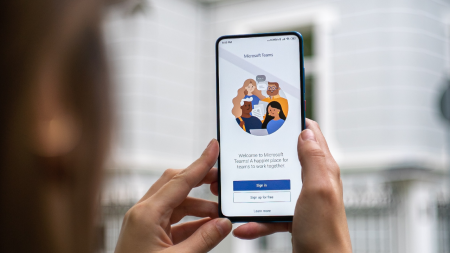
Extending Microsoft Teams to not only bring collaborative tools to your company or project team but also to utilize and build off of the Power Platform’s offerings to automate mundane tasks as well as enhance communications across departments, teams, or any other groups working together on common or different workstreams every day. Session Level: Intermediate

In this session, Belinda will guide you through the use case of creating a Payables Transaction Batch Approval app in Power Apps. The app will also include a flow from Power Automate that will notify the AP department of the batch being approved. Finally, the new app, which contains the flow, will be placed in a Power BI report providing for faster review and approval; which will save you $$$.
This session is geared for an audience with a basic skill set.
This session will be available for CPE credits pending completion of session survey post event.

Whether it be an implementation or an upgrade, embarking on a new project presents many challenges. With the current advancements in collaborative technology, a project manager should never go into battle unarmed. I will discuss:
•several tools that increase project success (Power Platform integration, Teams w/ Apps, etc.)
•real world scenario application of these tools/technologies
•tips and tricks on getting the right project reporting out to the C-suite
Just some of the things you’ll know after you attend the session:
•Creating “tasks” in MS Teams and connecting to Project
•connecting Project to a Power BI dashboard for visual representation of your projects/portfolio
•knowledge of various apps and tools that enhance the project management capabilities
•understanding the technology “ecosystem” for your project management
I will also walk through some scenarios during the session and near the end we can open it up for Q&A on the tools so if you’re interested in walking through some of these examples alongside me, please have Teams, Power BI, Power Automate, Planner, Lists and Project installed (if not all, at least some).
This session will be available for CPE credits pending completion of the session survey post event.
Level: Basic

As a low/no code development tool, Power Automate places a lot of power in the hands of users who previously had to rely on a developer. But as a certain young Spider-Man once taught us, with great power comes great responsibility.
Instead of muddling your way to learning how to control all that power on your own, let us show you the 5 things you need in your integration to make it kick ass.
Session Level: Basic

Join our Velosio experts to learn how to best leverage the Microsoft Power Apps to meet your business requirements. With Power Apps, you can automate and enhance processes, collect and connect data, and create actionable insights. If you have been thinking about getting started with Power Apps, or even wondering what it can do for your organization by reviewing real-life applications, you will not want to miss this insightful session. Join Rod Donovan, Velosio’s Power Apps and Power Platform expert, as he discusses 10 Power Apps use cases implemented with real clients. He’ll share business needs and problems and how the team applied Power Apps to solve them, as well as available templates, tools, and outsourced resources you can use to get up and running quickly with the power of the Power Apps.

Join us in this session to get started with the new Power Automate UI Flows service, Microsoft’s Robotic Process Automation solution. During this session we will take a tour of the Power Automate UI Flows application interface, look at the available controls and discuss some of the basic concepts around Robotic Process Automation.
We will show you in a step-by-step demo how you can record user actions such as mouse clicks, keyboard use, and data entry, and then replay those actions to automate this process.
Session Level: Advanced

Luck Stone needed to save customer invoices that are automatically generated during the posting process in D365FO to their Customer Portal. They needed a solution without heavy customization, resistant to Microsoft monthly updates, but also seamlessly integrated with Print Management. Additionally, they wanted to utilize Azure Event Grid which supports Azure blob storage events. The problem was, how to automate saving invoices from D365FO to an external Azure blob storage and trigger Azure Event Grid. Luckily, they found a simple solution! By attending this session you will learn all about it and be able to apply it in your D365FO implementation.
The content of this session is geared toward an audience with beginner to intermediate-level knowledge of the subject area.
This session will be available for CPE credits pending completion of session survey post event.

Learn Amazon terminology, get an overview of the various Amazon portals, and learn about integration possibilities with NAV/BC that will automate and streamline your sales, fee payments, and reporting on Amazon mfg/supply chain/admin/integrations.
This session will be available for CPE credits pending completion of session survey post event.
Level: Basic

When it comes to document management, Dynamics and SharePoint offer a myriad of options … not all of them good. Even the built-in SharePoint to Dynamics integration can create more problems than it solves.
In this session, you’ll learn what nobody tells you about SharePoint to Dynamics integration – including case studies on how different approaches for document management in Dynamics 365/CRM are working for different organizations.
We will review all the available options, from using the built-in Dynamics document management, to SharePoint, to Teams, to Power Automate to custom code to third party add-ons. You’ll learn the different solutions that work best in different scenarios and you’ll learn from how one organization setup a complex SharePoint integration and how they’re modernizing it with Microsoft Teams.
The content of this session is geared toward an audience with intermediate-level knowledge of the subject area.