


Are you an IT Professional recently promoted to a management role? Are you a non-IT Professional tasked with overseeing an IT Department? Running a successful IT group is easier than you may realize if you know the basics.
Are you an IT Professional recently promoted to a management role? Are you a non-IT Professional tasked with overseeing an IT Department? Running a successful IT group is easier than you may realize if you know the basics.

Year-End making your head hurt? Don’t get left in the dust around year-end time, come to this webinar to learn all about the 2019 year-end changes and 2020 W4!

Do you have questions around the HR/PR module in GP? Join us, and bring your questions, for an ask the expert session with Terry Heley from Microsoft. As always, Terry is a fountain of HR/PR information and will also discuss some current blogs/news.

To help combat the effects the current pandemic has had on organization’s bottom line, Microsoft has created a way for on-premise Business Central and NAV customers that are current on their annual enhancement to pay monthly installments instead of one yearly lump sum. You’ll also get dual use rights and cloud licenses so you can keep using your on-premise software and have a cloud environment incase you decide to transition in the future!

Join to learn more about COBRA, Garnishments, Deductions and Arrears in Dynamics GP. He’ll end with a Q&A, so bring any questions you’d like to ask about HR/Payroll compliance in GP.

Join Terry Heley from Microsoft as she discusses tips for working with GP HR/PR around COVID requirement changes.

Presented by @Terry Heley
Join Terry Heley from Microsoft as she discusses tips for working with GP HR/PR around COVID requirement changes.
#Functional
#Accounting
#HRandPayroll
#TipsandTricks
#communitycares
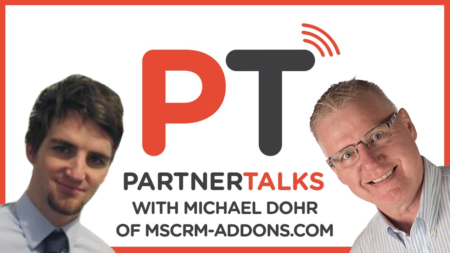
Rick chats with Michael Dohr, MSCRM-addons.com’s COO.
MSCRM-addons.com helped to pioneer D365 addon solutions – they built their first addon in 2005!
In this PartnerTalks, you’ll learn:
• The D365 Community Summit
• How MSCRM-addons.com streamlines users’ typical D365 tasks
• The benefits of working together with the D365 User Group Community to refine the software

Did you know Position Control is now rolled into Human Resource module and FREE for you to use? Yes I said FREE. Come to this session to learn about Position Control and how you may want to use it in your company.

Boost Your Customer Experience Through Embedded AI. If you are interested in increasing customer satisfaction, consider attending Jeff Kanel’s session at User Group Summit. Jeff is the Director of Data & Analytics at To get a taste of what Jeff’s session will cover in Orlando, watch his quick video previewing the limitations of current customer-facing business processes and how AI could be the solution, with a combination of Microsoft Azure’s Machine Learning and Dynamics technologies. Enjoy!

In a world of constant “noise”, people have adapted by carefully choosing what noise they pay attention to. The webiverse has undergone major transformation in recent years, so what once worked in terms of content, is quickly becoming more and more obsolete. There is, however, one thing that never changes… We all love stories! Join this webinar to become the best story-teller you can be and how we, too, can adapt and succeed in garnering the shortened attention spans of today.

Track Preview:
HR/PR
Sessions Previewed:
1. Remote Doesn’t Have to Feel So Remote
2. Payroll/HR Reporting Made Easy
3. Tracking the Human Side of things (GP Human Resources)
4. Do I Have Enough Vacation Time?
5. PowerBI-ful Dynamics GP Payroll
6. Employee Self-Service
7. Make GP US Payroll GREAT Again!
8. What new HRP Features are you missing?

Sessions Previewed:
1. Remote Doesn’t Have to Feel So Remote
2. Payroll/HR Reporting Made Easy
3. Tracking the Human Side of things (GP Human Resources)
4. Do I Have Enough Vacation Time?
5. PowerBI-ful Dynamics GP Payroll
6. Employee Self-Service
7. Make GP US Payroll GREAT Again!
8. What new HRP Features are you missing?

In this session, we will dive into multiple areas of the Dynamics 365 move and how to determine what costs/savings are to be found. The following areas will be covered:
1. How to build an ROI model comparing on premise vs cloud deployment
2. Understanding TCO models that differentiate from other solutions
3. The implications of D365 “constant updates” (One Version) and how they affect competitive solutions
4. Savings inherent in ongoing support for D365
In this special Community Response Series: Join Terry Heley from Microsoft as she discusses tips for working with Microsoft Dynamics GP HR/PR around COVID requirement changes.
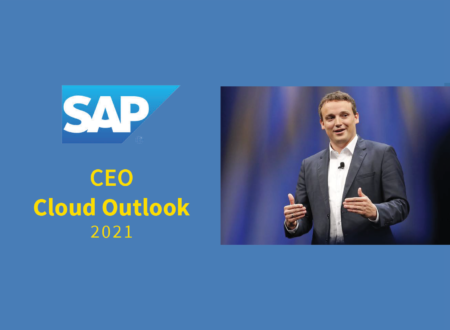
SAP CEO Christian Klein on the company’s future – reimagined business models, co-innovation with customers, and vertical-industry solutions.

On this Cloud Wars Live podcast and as part of the CEO Cloud Outlook 2021 series, I speak with Microsoft Executive VP Scott Guthrie.
Microsoft Cloud and AI Executive VP Scott Guthrie offers detailed insight on how they intend to retain the top spot among cloud vendors.

Discover how easy it is to report on payroll/HR information utilizing SmartLists, SmartList Designer (HR and Payroll) and SmartList Builder.
Be able to use SmartLists to review setups including deductions, benefits, pay codes and tax information.
Be able to use SmartLists to view employee assignments including employee deductions, pay, benefits and tax information.
Be able to use SmartLists to view employee payroll transaction history.
This session is geared for an audience with a basic skill set.
This session will be available for CPE credits pending completion of session survey post event.

Whether it be an implementation or an upgrade, embarking on a new project presents many challenges. With the current advancements in collaborative technology, a project manager should never go into battle unarmed. I will discuss:
•several tools that increase project success (Power Platform integration, Teams w/ Apps, etc.)
•real world scenario application of these tools/technologies
•tips and tricks on getting the right project reporting out to the C-suite
Just some of the things you’ll know after you attend the session:
•Creating “tasks” in MS Teams and connecting to Project
•connecting Project to a Power BI dashboard for visual representation of your projects/portfolio
•knowledge of various apps and tools that enhance the project management capabilities
•understanding the technology “ecosystem” for your project management
I will also walk through some scenarios during the session and near the end we can open it up for Q&A on the tools so if you’re interested in walking through some of these examples alongside me, please have Teams, Power BI, Power Automate, Planner, Lists and Project installed (if not all, at least some).
This session will be available for CPE credits pending completion of the session survey post event.
Level: Basic