


Guest author Jiri Kram explores what Larry Ellison’s unexpected frontal attack on Salesforce could mean for AWS.
Guest author Jiri Kram explores what Larry Ellison’s unexpected frontal attack on Salesforce could mean for AWS.

In a CX event earlier this week, Oracle Chairman Larry Ellison made two striking disclosures about Oracle’s growing relationship with Zoom.
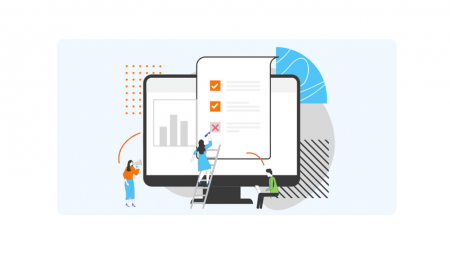
RadiusOne A/R Cash Reconciliation App enables automated cash reconciliation across diverse payment and remittance sources and formats including emails and web portals, with automated invoice matching and short-payment identification.
With Artificial Intelligence-enabled data capture for remittances, auto-linking of payments with remittances and invoicing matching, standardize your cash application process while minimizing manual intervention and errors. Free up analyst’s time to focus on high-value critical tasks such as Credit and Collections.

SaaS and Cloud solutions are transforming the financial process and all of this is underlined by the emergence of Artificial Intelligence, creating a new function for CFO’s to become continuous strategy managers as opposed to daily financial managers. Fuelled by new data aggregation and digital reporting enabled by new and emerging solutions by organizations like HighRadius, today’s CFO can spend less time searching for information and more time planning and architecting the future of the business with other C-level executives.

By spanning both IaaS and SaaS layers of the cloud, Larry Ellison feels Oracle will offer unique value to business customers.

If Google’s founders have a secret list of “best hires we’ve ever made,” I would bet Google Cloud CEO Thomas Kurian is near or at the top.

Surging growth and massive potential have spurred Alphabet to break out the financial results of Google Cloud in a separate reporting segment.

Dynamics BC/NAV is fully embedded in Office 365, which means your ERP processes can now be performed directly in Office, where you are already doing your work. In this session we’ll show how you can now manage business interactions in Outlook, synchronize records between BC and Outlook, use Microsoft Teams to call your Dynamics contacts, share customer notes between BCand OneNote, and work with your financial data in Excel.
This session will be available for CPE credits pending completion of session survey post event.
Level: Intermediate

Do you ever feel like the Power Apps interface could be more intuitive and user friendly? That it could better support fast data input and rapid changes? It can.
In this presentation, you’ll hear a story illustrating the art of the possible around creating an intuitive, easy to understand interface for fast-paced data input, told through the eyes of the Boys & Girls Clubs of America, who tapped into Power Apps for critical support of their Great Futures 2025 Initiative.
Session Level: Basic
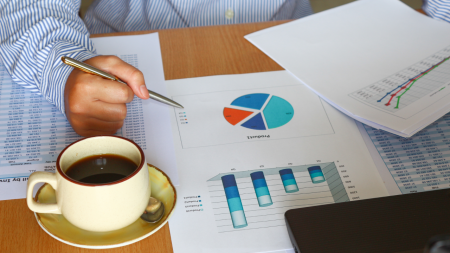
Your financial statements do not have to be the typical accounts-down-the-left, months-across-the-top financial statements. Dynamics 365 Financial Reporting gives you flexibility in how you define your rows and columns using any of your dimensions, accounts and periods. Learn how to creatively display general ledger data in useful, easy-to-understand ways.
The content of this session is geared toward an audience with beginner-level knowledge of the subject area.
This session will be available for CPE credits pending completion of session survey post event.

Microsoft’s Power BI dashboard and reporting solution provides a way to gain insight into your Dynamics SL and other data. The Microsoft Dynamics SL team has built Power BI Dashboards for Project, Customers and Vendor information that are a great starting point. Attend this session to see what is available today and how you can start taking advantage of these solutions at your company today.
Upon completion of this session, participants will be able to describe the Power BI dashboards that are available.
This session will be available for CPE credits pending completion of session survey post event.
Level: Basic

Learn how Microsoft Power BI is embedded throughout Business Central and how this integration can be leveraged to quickly build an unlimited number of custom reports – all without requiring a computer engineering degree! This session will start with an overview of what is delivered by Microsoft with Business Central, what capabilities exist for building your own custom Business Central reports, a live demonstration of how to build your own Power BI Datasets and Reports, and guidance and suggestions for advanced reporting options and capabilities.
This session will be available for CPE credits pending completion of session survey post event.
Level: Basic

Are you ready to take Customization Manager to the next level? Do you have a complex business process to solve? Want to see VBA in action? This session will deepen your understanding of Customization Manager and teach you how to streamline processes and increase user efficiency in SL. Learn how to add new fields to a screen, extend a grid, or launch a report. This session will have practical examples to inspire your imagination for the endless customization possibilities.
This session will be available for CPE credits pending completion of session survey post event.
Level: Advanced

Which system do you get data from? Bet it can export it into a CSV or other Excel format. If you have issues getting to your raw data for any reason but can still export it, this session is for you. You will learn how to save exported data from excel files into a different excel file while cleaning it up and combining it with other reports as needed. After we set it up for the first time, you just need to place new reports in the same folder and Excel (Power Query) will automatically update your files!
This session is geared for an audience with an intermediate skill set.
This session will be available for CPE credits pending completion of session survey post event.
You’ve made the strategic decision to migrate from previous versions of Dynamics NAV/GP/SL to D365 Business Central. What’s next? What does a good migration and deployment plan look like? Before you sit down with your partner, we will discuss the wide range of elements to address in your project plan. We will provide an overview considerations around dealing with your mods, reports, third-party add-ons, system access, security, service contracts and SLAs, data retention, and moving to an OPEX model.
This session will be available for CPE credits pending completion of session survey post event.
Level: Intermediate

If you’ve ever struggled with using dimensions or don’t know why you should use them at all, it’s time to solve that! Discover how to tell your company’s financial story by using dimensions to get beyond just the Balance Sheet and Income Statement. Learn how to set up dimensions in NAV/BC to gather complete and accurate data while also preventing blank values and reducing the need for data entry. Find out how to use dimensions to gain control, consistency, accuracy, and efficiency in your financial postings. You’ll leave clarity on all the ways you can view dimensions in your system.
This session will be available for CPE credits pending completion of session survey post event.
Level: Advanced
Analytics is no longer a luxury, in order to be a successful business you need have full visibility of your data and reports, only then you will stay competitive in this digital age!
We will show you how to develop Power BI Apps per your business and industry request. The purpose of this session is to help companies obtain the applications they need to have full visibility of their business data and analytics with Power BI.
Session Level: Intermediate

Ready to understand more about the internals of your implementation of Dynamics 365 Business Central/Dynamics NAV? Never had the proper training you feel was needed? Join this session and learn how to use debugger tools to identify and fix issues. We’ll review the art of evaluating variables, identifying which logic and data have caused errors, and pausing code execution to troubleshoot. For Business Central Cloud, we review tools available in the user interface to troubleshoot and correct data and logic errors.
This session will be available for CPE credits pending completion of session survey post event.
Level: Basic

Join our Velosio experts to learn how to best leverage the Microsoft Power Apps to meet your business requirements. With Power Apps, you can automate and enhance processes, collect and connect data, and create actionable insights. If you have been thinking about getting started with Power Apps, or even wondering what it can do for your organization by reviewing real-life applications, you will not want to miss this insightful session. Join Rod Donovan, Velosio’s Power Apps and Power Platform expert, as he discusses 10 Power Apps use cases implemented with real clients. He’ll share business needs and problems and how the team applied Power Apps to solve them, as well as available templates, tools, and outsourced resources you can use to get up and running quickly with the power of the Power Apps.

Having great data is awesome, having meaningful reports built on that data that can drive business decisions and business flow is priceless!
This practical hands-on course will give you a thorough understanding of of the reporting tools available out of the box with Dynamics GP. Learning to select the best tool for a specific business need will allow you to more effectively to drive research, reconciliation and key business decisions. We will also delve into “The Builders” series that comes with the SmartList Builder license in the afternoon portion of this session.
Learning Objectives:
1.Internal GP Report Options2.•Understanding, modifying and running the reports within the GP Product modules
3.SmartLists4.•The premiere way to run reporting internally in Dynamics GP
5.•The basics of finding and querying
6.•Setting up reminders and ques to make the most of the data
7.•Other tips and tricks for out of the box SmartLists
8.SmartList Designer9.•GP’s default SmartLists are awesome, but learning to build even more useful reports tailored just for you by using the Designer can add a level of understanding of your financial system as well as the capability to thoroughly research and reconcile
10.SSRS11.•GP comes with the ability to deploy out-of-the-box SQL Server Reporting Services reports.
12.•These are external to GP and a great way for non-GP users to obtain self service reporting that you can control
13.•SSRS is also utilized for the internal-to-GP Business Analyzer KPI’s that can be placed on your home screen
14.Excel Refreshable Reports15.•GP also comes with out of the box Excel Refreshable reports that sit external to GP and can be utilized by non-GP users as another self service reporting tool
16.•These are highly effective and dashboarding can be built off of these for some amazingly effective reporting
17.Navigation Lists18.•Used in conjunction with all of the reporting types mentioned above it is considered a one-stop-shop
The afternoon portion of this course will take a deep look at how the Builders will help you get even more data out of your system, on your terms, by spending time and working examples in the following areas:
•Table Structures within GP and which tables you’ll likely leverage the most
•Deployment of GP’s standard Office Data Connections
•Compiling new SmartList queries via SmartList Builder
•Supplementing the Refreshable Excel Workbooks with the Excel Report Builder
•An introduction to the Navigation List Builder
•SmartList Builder takes the highly popular, easy-to-use SmartList tool in Microsoft Dynamics GP and dramatically increases its power and range.
•We’ll review how you can query more data in more ways with SmartList Builder, which gives you access to all the information that you capture, enabling you to create your own custom SmartLists.
•You’ll see how useful SmartList Builder and Microsoft Office Excel 2007 working together can be, and further add to your Business Intelligence capabilities and provide your users with valuable insight with an overview of Navigation List Builder.
Audience: GP Finance, Support, or Analyst
Level: Beginner
Preparation: The detailed instructions for connecting to the lab environment will be sent one to two days prior to class. Students will need a laptop and will attend the course in person, and will use an online connection for the lab environment. If your instructor will use the hands-on training environment you will receive a separate email with the setup instructions.